

Ausmed is a Trusted Information Partner of Healthdirect Australia. Verify here.


© 2026 Ausmed Pty Ltd (ABN: 33 107 354 441)
For nurse educators and education managers. Ausmed Learn™ assigns mandatory training, onboarding, refreshers and specialty programs by role and location, holds your own content beside the Ausmed Library™, and keeps every completion and sign-off on one record.
Book a walkthroughA hospital's education program is several programs at once: annual mandatory training, onboarding for new starters and agency staff, refreshers on a cycle, and pathways into specialties like the ED, critical care or theatres.
Run across spreadsheets, an old LMS and paper, each one needs someone to assign it, chase it and count it.
In Ausmed, you build each program as a training plan and assign it by job role and location. Staff pick up the plans for their position, and every completion lands on one record the whole education team can open.
Most of an educator's admin goes on keeping assignments, records and reports in step. In Ausmed they come from one record, so the time goes back into teaching.

The training matrix sits in a file, and someone rebuilds it by hand in the LMS whenever a role changes.
The matrix is the training plan, assigned by job role and location, so there is one copy to keep current.

Casual and agency staff arrive outside the normal induction cycle, and nobody assigns them anything.
Give them a shorter onboarding plan of their own, covering the policies and procedures they need before their first shift.

Annual refreshers set to one date retrain a whole unit in the same month, on a roster that's already short.
Recurring assignment can run from each person's last completion, which spreads the load across the year.

Each unit maintains its own workbooks and slide decks, and the knowledge leaves with the author.
Course Builder turns a workbook into a structured course held in one place, and the SCORM packages you already own sit beside it.

In-services and skills sessions run in person, and attendance sits on paper until someone keys it in.
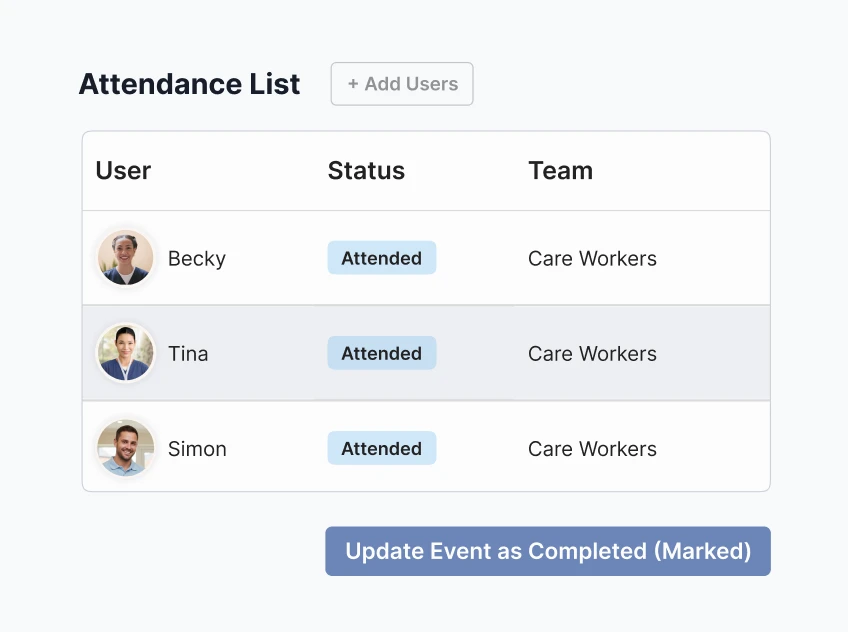
Events handles enrolment and waitlists, and the facilitator marks attendance on the day, straight onto each person's record.

Each compliance report starts as an export someone tidies in a spreadsheet before anyone can read it.
Ausmed reports completion by NSQHS Standard, team, role and location from the record, ready to export.
Senior clinical executive, private day hospital group, 39 sites
Mandatory training, onboarding and specialty pathways all run as training plans in Ausmed Learn™, assigned by role and reported from the same record.
See it with your own programsSet requirements by role, and Ausmed assigns the training to each staff member from their position.
Get casual and agency staff up to speed with a shorter onboarding plan covering the policies and procedures they need.
Annual and periodic refreshers come back on the cycle you set, so staff stay current on critical skills.
Build the graduate year, or a pathway into the ED, critical care or theatres, as staged training plans with competencies signed off on the unit.
Preceptors record each observation in the assessor app on the shift it happens, against the criteria the program sets.
Upskill staff quickly for expanded scopes or emergency protocols with a targeted plan assigned to the people who need it.
Build mandatory training, onboarding and specialty pathways as training plans: online modules, your own documents and workbooks, and practical activities. Assign each plan by job role and location. User sync brings each starter across from your HR system and enrols them on their first day.
A clinician who already knows a module can pass its Knowledge Verification pre-test and move on, so paid training time goes on what they still need.
How Ausmed Learn works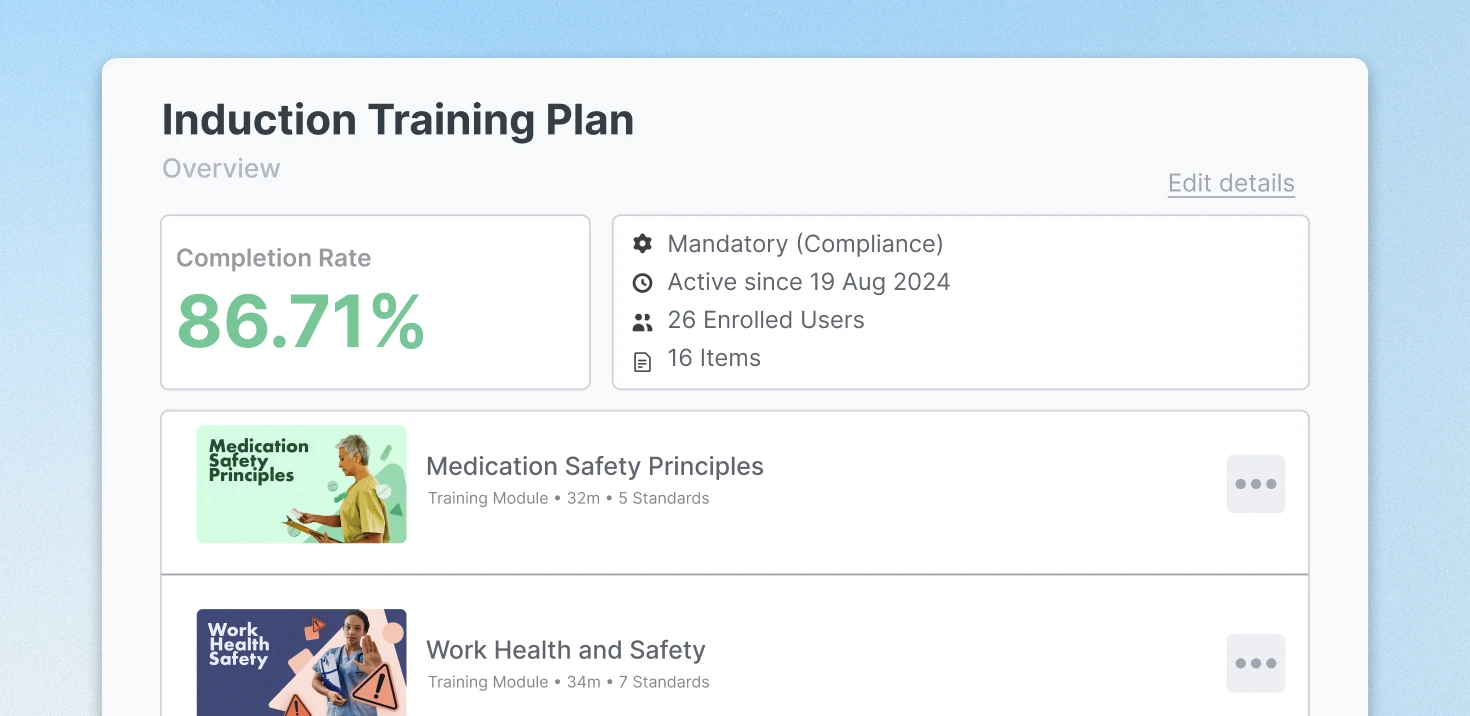
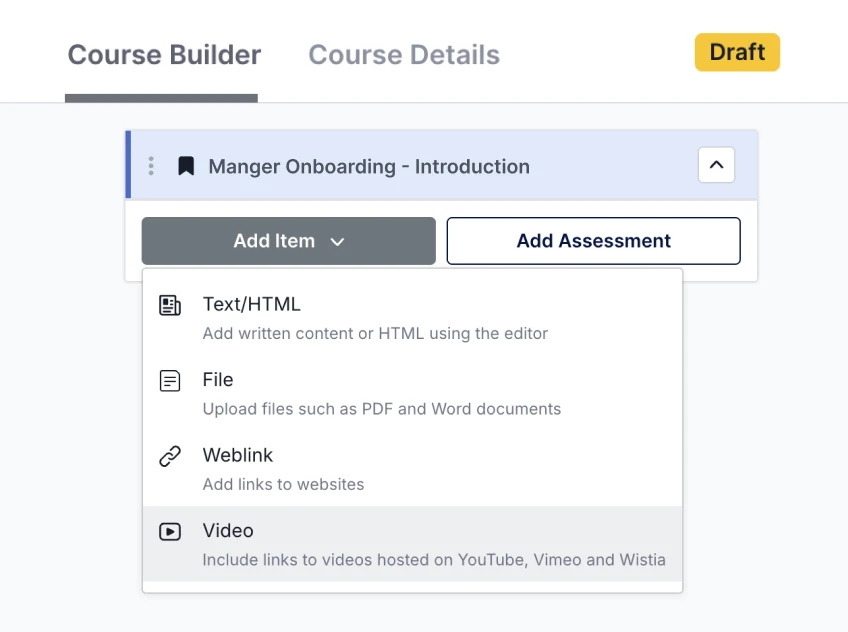
Course Builder turns a unit workbook or slide deck into a course with readings, video and an assessment. Import the SCORM packages you already own and track them alongside everything else.
Where you have a gap, the Ausmed Library™ has more than 1,000 Hospital and Acute Care resources, each with a review date, in the same plans as your own material.
Training Library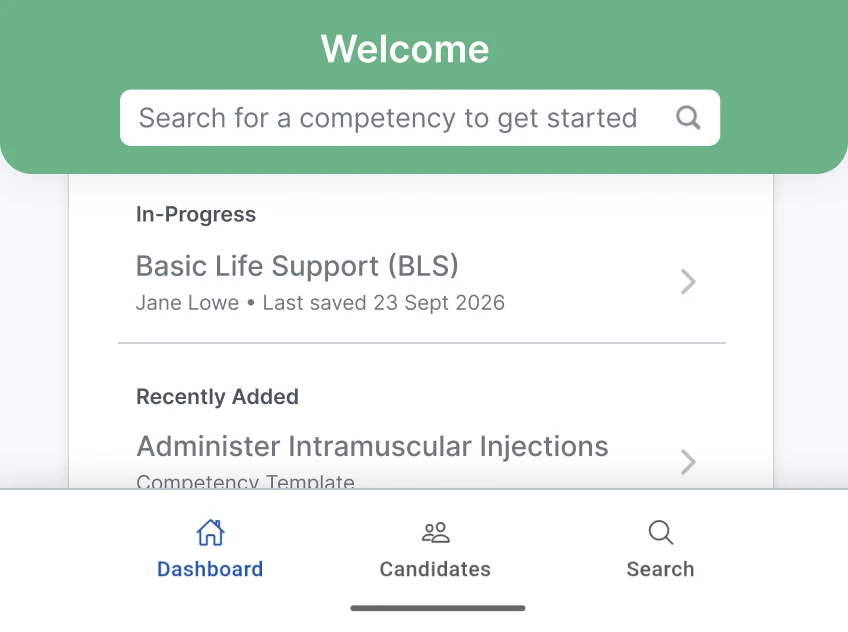
Clinical skills assessments, graduate consolidation and preceptor observations run as digital assessments built from your own tools. The assessor completes the sign-off on the unit in the assessor app, and the record carries their name, the date and time, and their comments.
Each sign-off lands on the person's record as soon as the assessor submits it, beside their training. The educator on the next shift can see who signed off what, without a handover note.
Digitising paper-based competenciesRun in-services, study days and skills sessions as in-person events in Ausmed. Staff enrol against the session, a waitlist fills places as they come free, and reminders go out a week before and the day before.
The facilitator marks attendance on the day, and it goes straight onto each person's record and counts towards their training plan, the same way a module does.

User sync adds, moves and removes staff, with job role, location and manager.

Automated reminders as training falls due, escalating to managers when it's overdue.
Workshops, demonstrations and in-services, with enrolment and attendance.

Check knowledge retention and how well the training worked.

Staff complete training on iOS and Android, wherever they are.

A pre-test lets staff show what they know and skip the module.
 NSQHS Action 1.22
Action 1.22 asks for three things: regular reviews, training needs identified in them, and those needs carried into the training system.
The health service organisation has valid and reliable performance review processes that:
a. Require members of the workforce to regularly take part in a review of their performance
b. Identify needs for training and development in safety and quality
c. Incorporate information on training requirements into the organisation’s training system
Ausmed Perform™ schedules probation reviews, annual appraisals and the review points in a graduate or transition program, and reminds the people involved. The manager or educator records the training needs a review raises in a note against the person, with supporting evidence attached.
The review sits on the same staff record as their Ausmed Learn™ training plan. The educator assigns the training from there, and it reports like the rest of their training. That is part c: the review's training requirements are in the training system.
How Ausmed Perform worksAssign every program by role and location, bring refreshers back on schedule, and run in-person sessions as events.
Ausmed Learn™Fill the gaps in your own content with Hospital and Acute Care resources, each with a review date.
Ausmed Library™Record clinical sign-offs on the unit, against your own assessment tools.
Ausmed Competency™Bring your mandatory training matrix and one program you run, and we'll show you both set up in Ausmed.
Training plans are reusable programs for a role, team or location that run on a schedule, such as a registered nurse's annual mandatory training. Manual assignments are one-off tasks for specific people or a single event.
Yes. Add it as a learning record: upload a file or video, link to an external website, or add a SCORM file, so each person's history stays complete.
No. You assign your workbooks, documents, videos and SCORM packages through the same training plans as Ausmed Library™ content. When you want more structure, rebuild a workbook as a course.
Yes. Set the intake up as its own team or job role, and reports filter to it: progress through the program, competencies signed off and reviews completed.
On desktop or in the Ausmed mobile app, each person sees the training assigned to them and what is due, and gets reminders as items fall due. Their study days and sign-offs appear on the same record.
Ausmed is a Trusted Information Partner of Healthdirect Australia. Verify here.