

Ausmed is a Trusted Information Partner of Healthdirect Australia. Verify here.


© 2026 Ausmed Pty Ltd (ABN: 33 107 354 441)
Ausmed holds each person's training, competency sign-offs and policy acknowledgements on one record, set up by team, role and location the way your hospital runs. The committee pack, a unit's overdue list and the assessor's audit report all run from it, by NSQHS Standard where needed.
Book a walkthroughSlow reports start with records nobody set up to match how the hospital runs. While the report waits, the gap stays on the roster: a unit behind on basic life support, a role failing the same competency, casuals nobody assigned training to.

Every report starts as an export and ends as a workbook only one person can maintain. When they are on leave, the monthly figures wait.
The report runs from the live record by team, role, location or NSQHS Standard, for whoever needs it.

A facility-wide percentage averages the unit well behind into the units ahead of it, and the executive sees a figure that looks fine.
Ausmed breaks the same figure down by team and location, so the unit that is behind shows up by name.

Each hospital in the group set up its training a little differently, and the executive gets three reports in three shapes.
You set training plans once by role for every site. Site comparisons in Ausmed Analytics™ put the hospitals side by side on the same measures.

Perioperative is behind, but nobody can say whether it is the orderlies, the enrolled nurses or the registered nurses, so the unit retrains everyone.
Ausmed reports by job role, and the fix goes to the role that needs it.

A site's licence can cover day surgery but not the consulting rooms next door. Pulling the licensed area out for the licensing return is then a separate job every year.
Set it up as its own location or team in Ausmed, and it reports on its own.

Training completions sit in the LMS, competency sign-offs sit on paper or in a tracker, and someone matches the two by staff name.
Ausmed Competency™ records sign-offs on the same staff record as training, and the results report by team, role or location.
Learning and Development Lead, private hospital, Western Australia
The executive wants one figure for the hospital. A nurse unit manager wants this week's names. The quality committee reads it by Standard, and the assessor asks by person, with dates. In Ausmed, each is a filter on the same record.
See it with your own wardsSee this week's overdue and due-soon training for one team, by name, so the nurse unit manager can act before the month closes.
Report training against each of the eight NSQHS Standards, and see the coverage and the gaps.
Put every hospital in the group side by side, on the same measures.
Cut the same figures by job role to see whether it is the orderlies or the nurses who are behind.
See how far each new starter is through induction, by team and site.
See which probation reviews and appraisals are done, due and overdue, by team, location, role and manager.
Ausmed maps training to the NSQHS Standards, so a compliance report shows completion against each Standard for a unit, a site or the whole service.
The workforce actions sit in the Clinical Governance Standard. Action 1.20 asks you to monitor the workforce's participation in training, and a compliance report filtered to the unit and Standard is that evidence.
The health service organisation uses its training systems to:
a. Assess the competency and training needs of its workforce
b. Implement a mandatory training program to meet its requirements arising from these standards
c. Provide access to training to meet its safety and quality training needs
d. Monitor the workforce’s participation in training
An assessor may ask who is overdue, on which unit, for which Standard, and what happened next. Ausmed answers with the compliance report, the Audit Report for the people on it, and the extensions and completions recorded in the Workroom.
Short-notice assessment generally gives you one business day, and all of it runs from the record on the day the notice arrives.
Audit preparedness: Actions 1.19 to 1.24, one at a timeThe Board Report in Ausmed Analytics™ gives the quality committee compliance percentage, overdue items by Standard or risk area, the quarter-on-quarter trend and monthly history. It exports as PDF or CSV.
It reads from the same records the nurse unit managers work from. Nobody reconciles two versions the night before the meeting.
Discover Ausmed Analytics™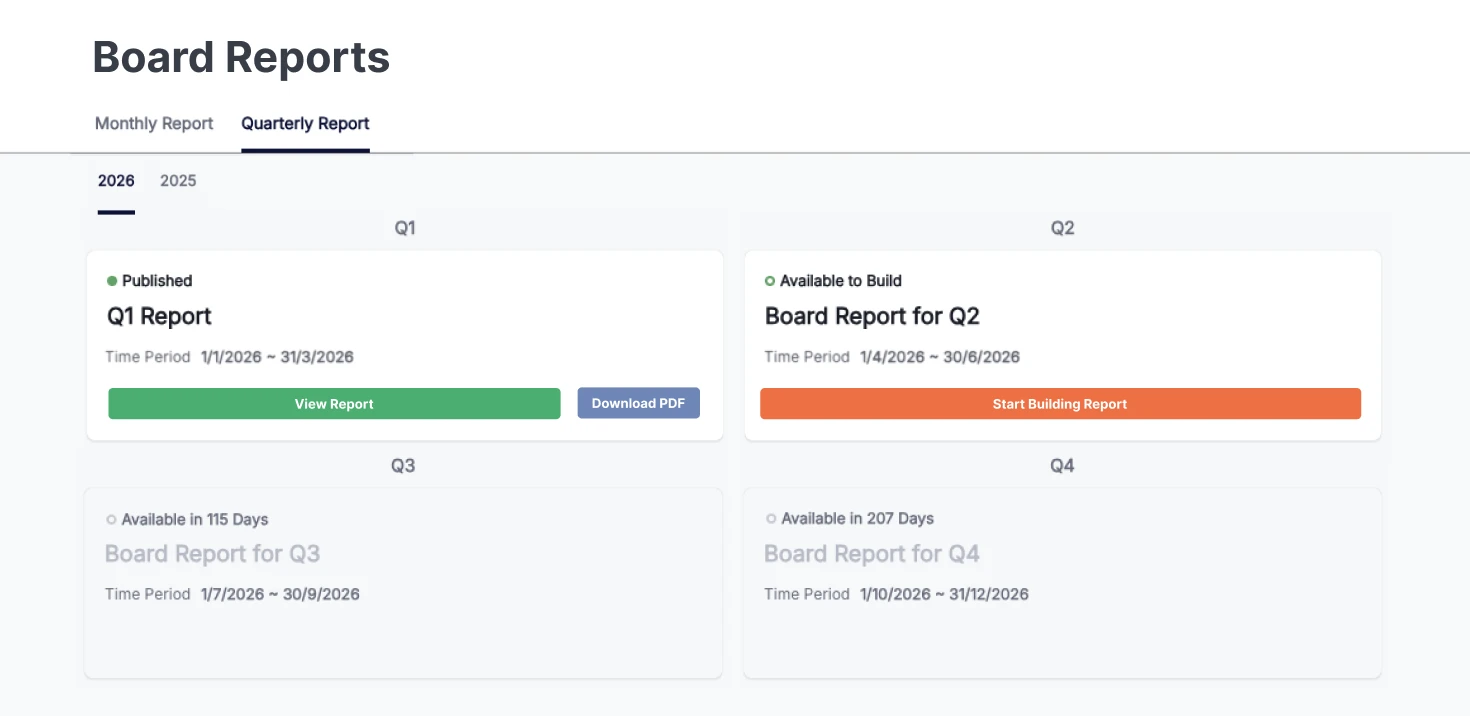
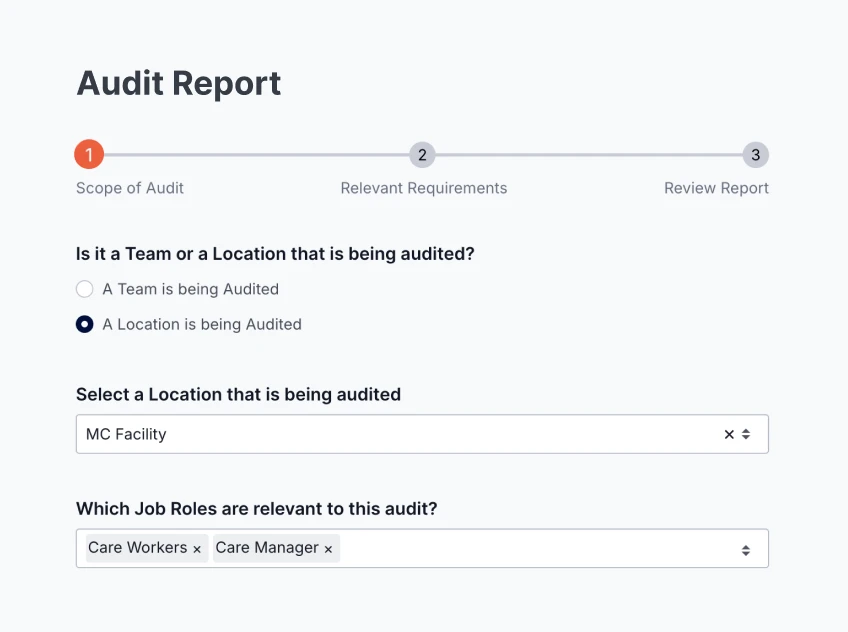
When the question is about one clinician, or every clinician on one unit, use the Audit Report. It shows the status of each requirement for each person, with timestamps, version history and links to the evidence. Filter it to the unit, export it, and hand it over.
Ready for short-notice assessmentOnce a report shows who is overdue, the education team acts from the same list in the Workroom in Ausmed Learn™. Send a reminder, grant an extension, mark a requirement complete with evidence, or skip one that doesn't apply.
Ausmed records extensions, and completions marked with evidence, against the person. When an assessor asks what happened after a clinician went overdue, the answer is in the record, beside the report.
How Ausmed Learn works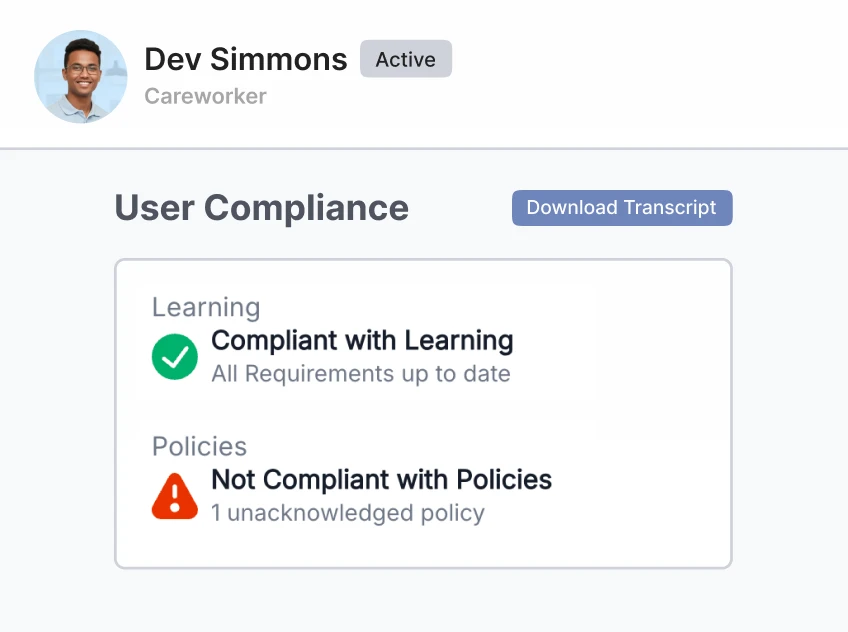
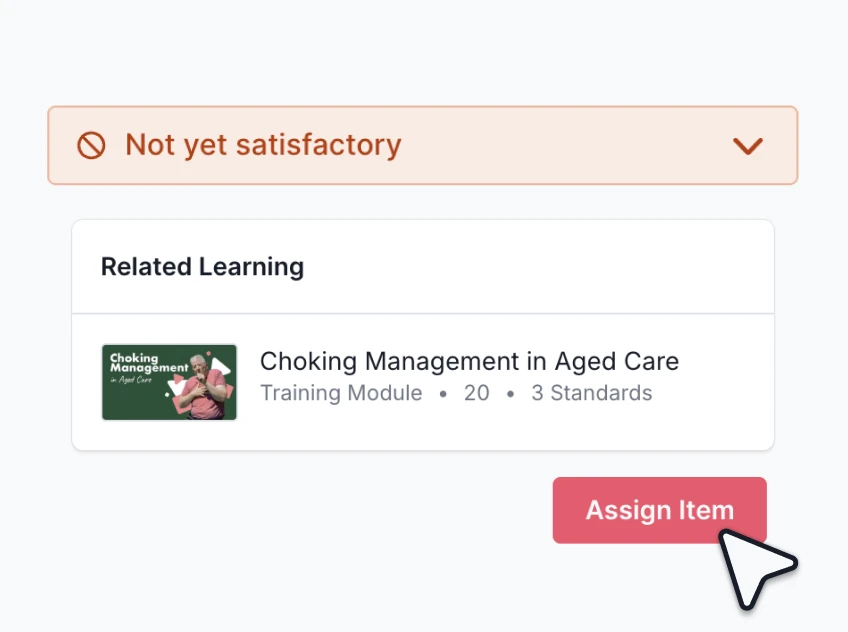
Ausmed Competency™ records Competent and Not Yet Competent results on the same staff record as training, and reports them by team, role or location. A gap in a competency links to the training that addresses it.
Your hospital builds its own assessments in Ausmed from the competencies your units already use, and the results report the same way as everything else.
Digitising paper-based competenciesAusmed Perform™ tracks probation reviews, annual appraisals and catch-ups against each staff member. Reports show which are done, due and overdue, by team, location, job role and manager.
Reviews sit on the same staff record as training and competency, so the committee sees performance review completion in the same reporting as everything else. It is the evidence Action 1.22 asks for.
Discover Ausmed Perform™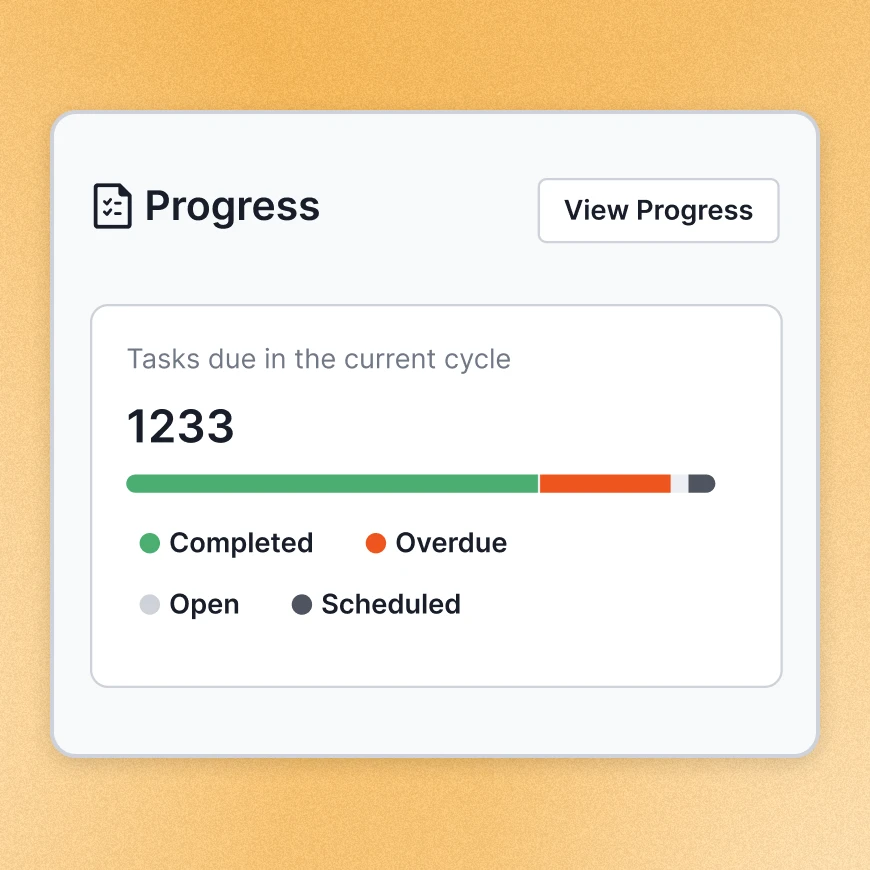
Run committee, team and audit reports and site comparisons, and export them as PDF or CSV.
Ausmed Analytics™Report compliance by NSQHS Standard, filter it by site, role or team, and act on what is overdue in the Workroom.
Ausmed Learn™Report Competent and Not Yet Competent results by team, role or location.
Ausmed Competency™Bring the report you rebuild every month, and we'll show you how it runs from the record.
Yes. You set wards and units up as teams or locations in your organisation structure, and reports filter by team, location, role and NSQHS Standard. Set the structure up the way the hospital runs and the reports follow it.
Yes. Site comparisons put locations side by side on the same measures, month on month.
Yes. Ausmed offers data exports and API access for audit and BI use, and reports export as CSV or PDF.
Yes, when you set them up as separate locations or teams. The licensed area then reports on its own for the licensing return, and the whole facility can still report together by NSQHS Standard.
Ausmed is a Trusted Information Partner of Healthdirect Australia. Verify here.